
Beat the Algorithm: Install The Heartlands Tribune on Android
You chose to follow The Heartlands Tribune. So why should a Social media algorithm decide whether you actually get to see us?
Facebook and other social media platforms control what appears in your feed. An article can be published, shared and followed by thousands of readers, and still vanish beneath an algorithm before most of those readers ever see it. That is not an accident. It is how these platforms are built: to keep you scrolling, not to keep you informed.
There is now another way.
You can install The Heartlands Tribune directly on your Android phone or tablet. It is not an app store download. It is a direct link that Chrome saves to your home screen, which is why there is nothing to buy, nothing to approve, and no email address to hand over just to read us. It works like an ordinary app from that point on: an icon on your home screen, notifications when we publish, and a clean reading experience with none of Facebook in between.
We are rolling this out for Android first. iPhone support is coming.
WHAT YOU GET
- Direct access to The Heartlands Tribune from your home screen
- Notifications when new articles are published
- Notification badges on the Tribune icon, on phones that support them
- A clean, app style reading experience
- Faster access to recently visited Tribune content
- Less dependence on Facebook and other social media algorithms
- No email address required simply to install it
HOW TO INSTALL THE HEARTLANDS TRIBUNE
- Open Google Chrome on your Android phone or tablet.
- Visit heartlandstribune.com
- Install The Heartlands Tribune prompt may appear. Tap Install.
- If it does not appear, tap Chrome’s three-dot menu.
- Install app, Install and create shortcut, or Add to Home screen is what to look for. The exact wording depends on your phone and Chrome version. Android fragmentation being what it is, your mileage may vary. Ours certainly does.
- Tap Install and follow the prompts.
The Tribune icon will then appear on your home screen or in your app launcher. Open it exactly as you would any other app.
TURN ON NEW-ARTICLE NOTIFICATIONS
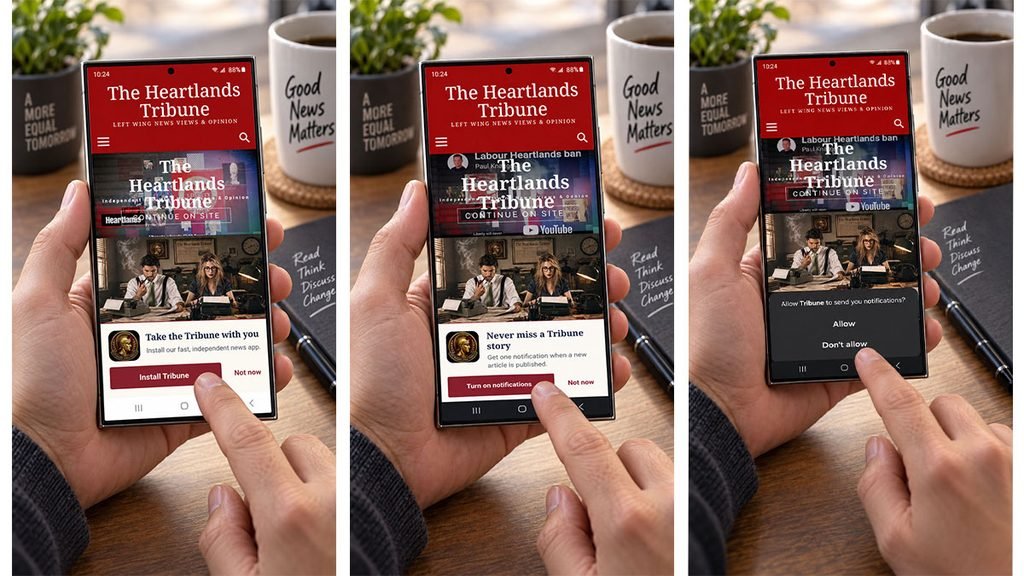
Once you have opened the Tribune app:
- Turn on notifications when the option appears. Tap it.
- Allow is the option to select when Android asks for permission.
- Make sure notifications stay enabled for The Heartlands Tribune.
When we publish, your phone can alert you directly. No Facebook feed deciding whether our journalism is worthy of appearing in front of you. And we are not going to bombard you with notifications. Their purpose is simple: when we publish, our readers should know about it.
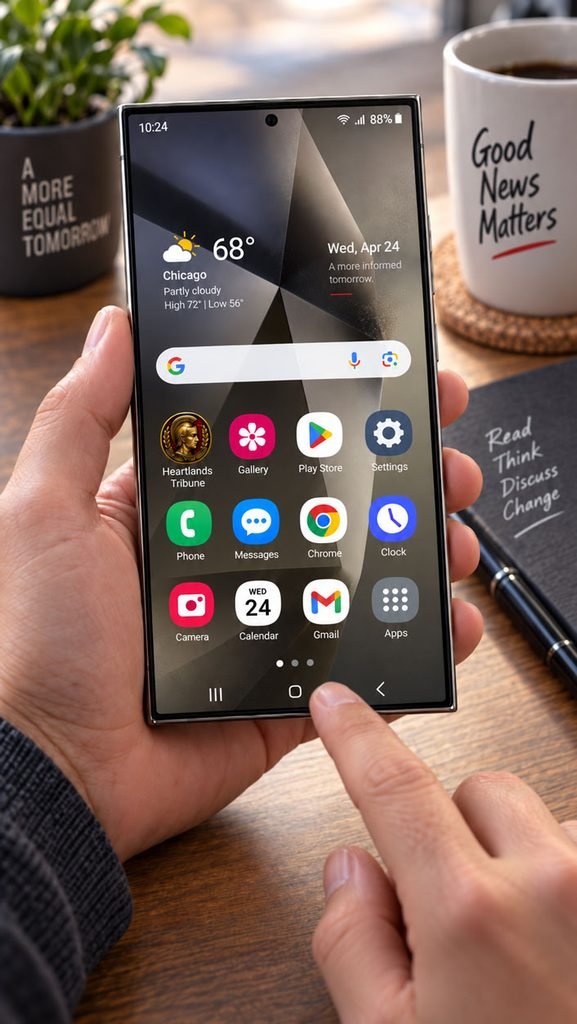
CAN’T SEE THE INSTALLATION OPTION?
First, check you opened the Tribune in Google Chrome, not inside Facebook’s built-in browser. If you arrived via a Facebook link, open the link menu and choose Open in Chrome or Open in external browser. Then:
- Reload heartlandstribune.com
- Open Chrome’s three-dot menu again
- Check that Chrome is up to date
- Check whether The Heartlands Tribune is already installed
NOT RECEIVING NOTIFICATIONS?
On most Android phones, go to Settings, then Apps, then The Heartlands Tribune, then Notifications, and make sure notifications are allowed. Exact wording varies slightly by phone.
WANT TO REMOVE IT?
Uninstall The Heartlands Tribune as you would any other app. Nothing happens to your newsletter subscription or Tribune account.
JOURNALISM WITHOUT THE GATEKEEPERS
Social media is useful. We will keep using it. But Facebook, X and the rest should not get to decide whether readers see journalism they have deliberately chosen to follow.
Installing The Heartlands Tribune builds something more valuable than reach: a direct line between an independent publication and the people who actually want to read it. No proprietor. No advertising network. No algorithm standing in the way.
Install The Heartlands Tribune on your Android phone today. Take the decision back off Facebook.

Support The Tribune
INDEPENDENT. READER-FUNDED. AD-FREE.
If you value this article, help keep The Heartlands Tribune publishing independent journalism without intrusive advertising or corporate sponsors.
Choose your monthly amount
Secure payment via GoCardless